

Download the audio
Slide 1. Introduction.
The class develops the differences between Google Maps and Waze, noting that each app’s algorithm prioritizes the needs of very different types of drivers, and discusses the implications for fleet management.
Slide 2. The differences between Google Maps and Waze.
- Many differences.
Google Maps and Waze differ in their route-planning philosophies and the type of driver they target: one prioritizes peace of mind and fuel efficiency, while the other focuses on speed and responsiveness.
In today’s world, marked by the prevalence of mobile phones and connected GPS , navigation apps like Google Maps and Waze have become virtually indispensable tools for millions of drivers worldwide.
Although both platforms are designed to guide users from point A to point B, their design, algorithms, and ultimate purpose are tailored to very different driver profiles. This explains why many users strongly identify with one or the other.
While both apps compete in terms of downloads, it is important to note that both are owned by Google. The American company acquired Waze in 2013 for 966 million dollars, though it kept the two apps separate due to their different value propositions. This fact, combined with the variety of features available on these platforms, raises a legitimate question: Why hasn’t Google decided to merge them?.
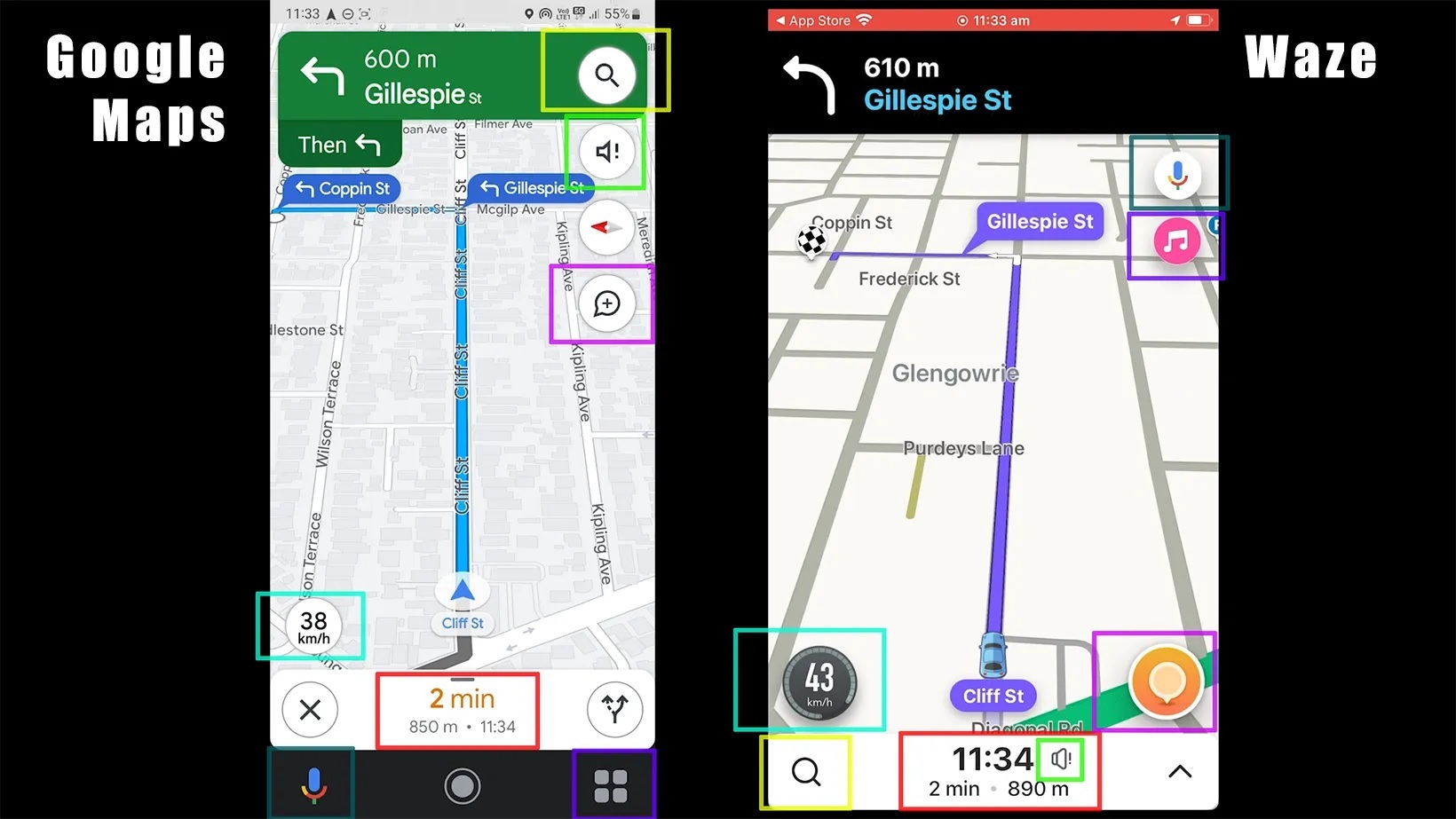
However, the answer to this question is more complex than it seems: each app follows a different logic of use, which translates into divergent driving experiences.
Google Maps offers a navigation experience that prioritizes the overall efficiency of the trip. It uses real-time traffic data and algorithms that balance multiple variables: estimated travel time, distance, road conditions, and route simplicity. The main goal is to drive safely and predictably, avoiding unwanted surprises such as excessive turns, intersections, or unexpected routes.
On the other hand, Waze takes a more dynamic and aggressive approach to finding the fastest route. Thanks to its active community of users, known as Wazers the app constantly incorporates real-time traffic reports, road incidents, police presence, and speed camera locations. This information results in routes that may be faster in terms of estimated travel time, even if they include sections that some drivers might consider winding or complicated.
The difference between the two can be summarized as follows: Google Maps caters to drivers who value a smooth and stable driving experience, while Waze is geared toward those who seek to optimize their time, even if this means taking detours on secondary roads or less-traveled routes.
- Community and data.
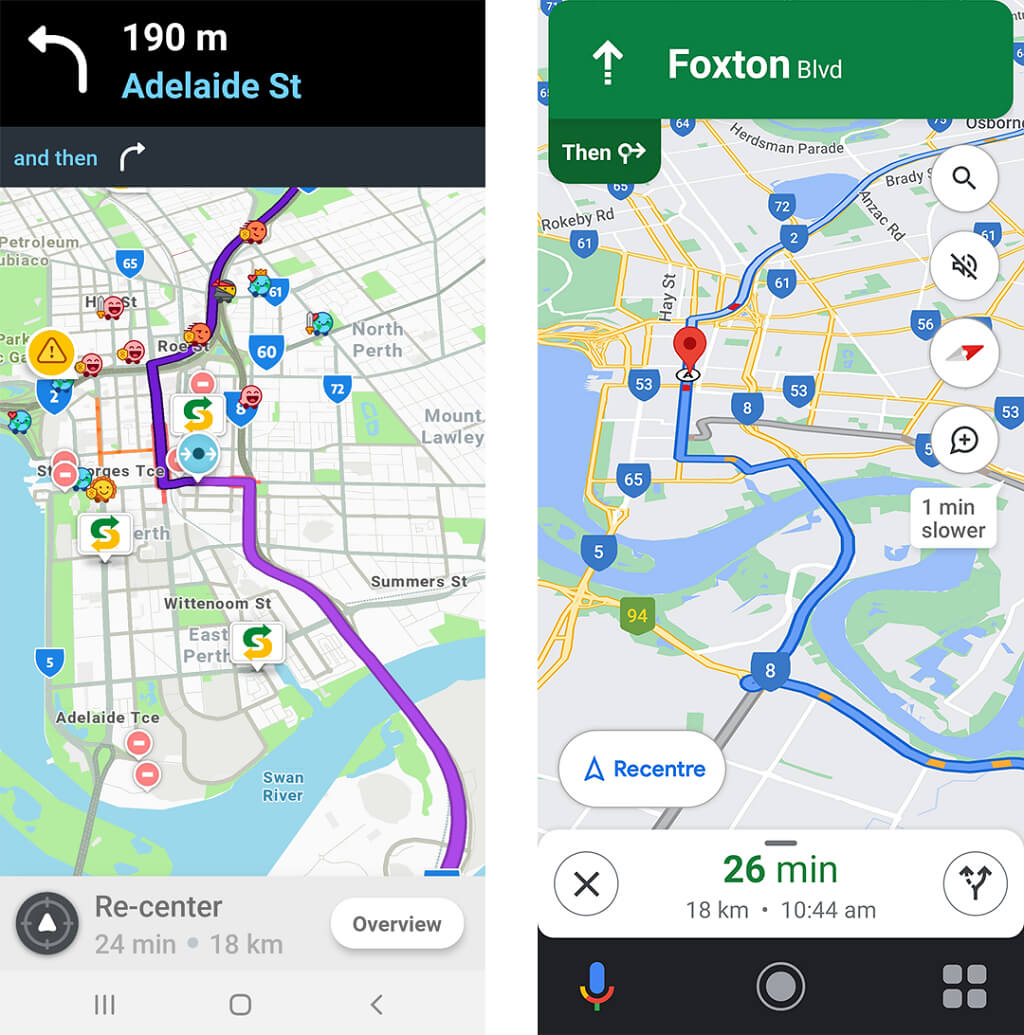
Waze’s strength lies not only in its routing algorithm, but also in its active and engaged community. Users can report incidents, obstacles, accidents, police checkpoints, or even road closures in real time, allowing other drivers to make decisions based on instant, collaborative information.
Google Maps, while also allowing users to report incidents or accidents, integrates these reports in a less intrusive manner and with fewer alerts than Waze. Maps’ primary goal is to avoid an overabundance of notifications, which can distract the driver, especially during long or quiet trips.
In recent years, Google has integrated into its own app some features historically exclusive to Waze, such as incident reports and police presence alerts.
- The interface matters too.
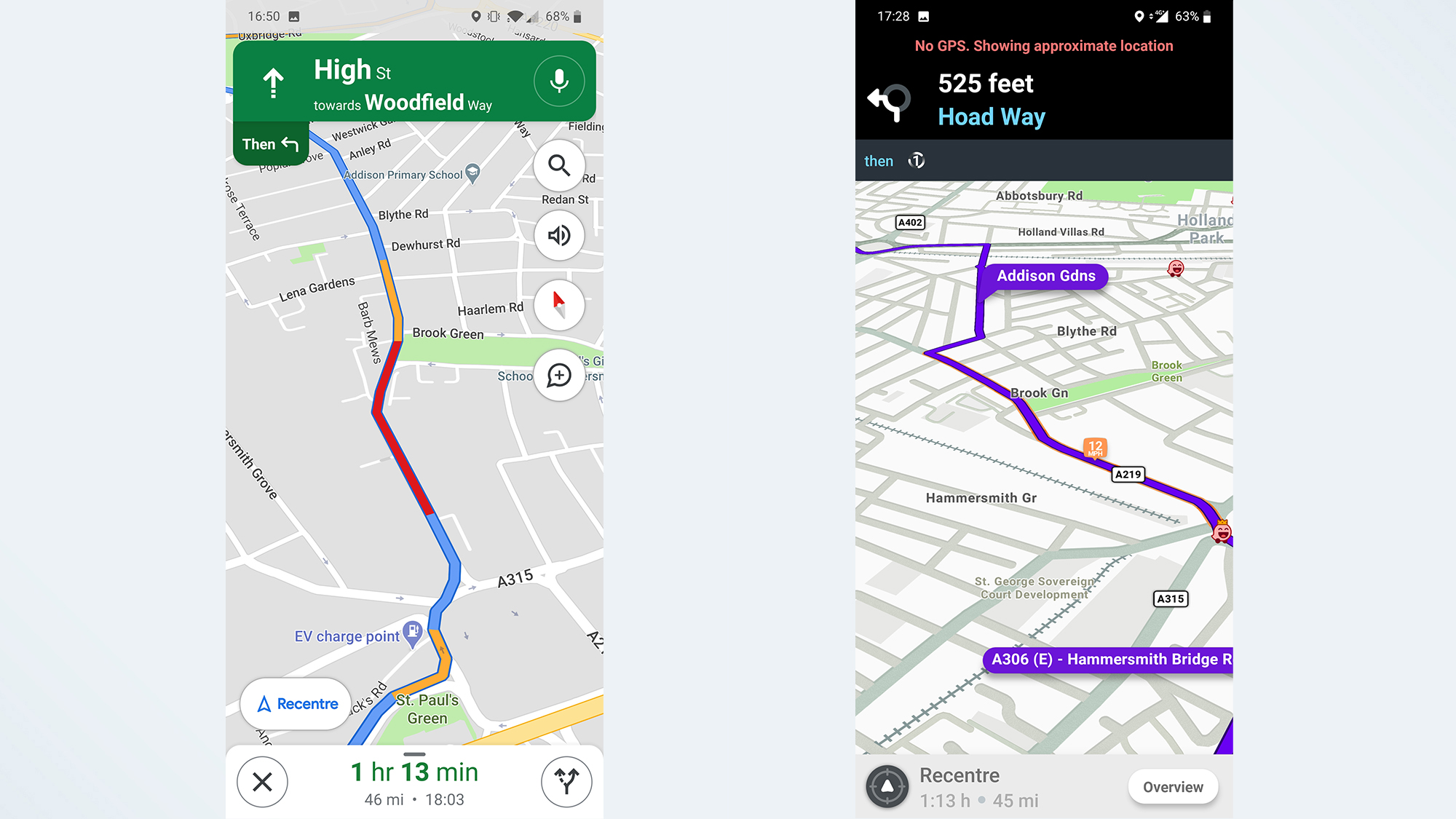
The visual experience also contributes to differences in perception. Waze features a more colorful and even playful design, with icons representing users and different types of alerts, an approach that can feel chaotic to those seeking simplicity. Google Maps, on the other hand, has a more understated and functional aesthetic, consistent with other Google apps, which promotes clarity and readability.
It is important to note that this distinction is not merely aesthetic; it also influences how users perceive the reliability and usefulness of each platform. Some drivers express their reliance on certain Waze features, while others opt for the more stable and less intrusive experience of Google Maps.
- Where Navigation Apps Are Headed.
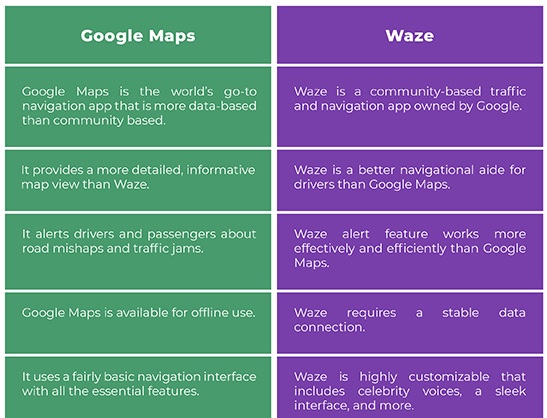
The near future suggests greater integration of features between the two apps. Google Maps has begun integrating reports generated by the Waze community, using notifications that display traffic alerts from Waze. This improvement, which is being rolled out gradually, combines the best features of both platforms: the strategic reliability of Maps with the social responsiveness of Waze.
However, the coexistence of both apps has become the norm, as each maintains its own identity and competitive advantages. Consequently, many drivers choose to use both apps depending on the type of trip, selecting Google Maps for long, predictable journeys and Waze for urban routes or when looking to save time with alternative routes.
- Implications for fleet management.
The main implication is that, depending on the service to be provided and our objectives, we can choose to use Google Maps or Waze.
Many fleets use Google Maps or Waze, but which one is better?, it cannot be said that one is better than the other; it depends on our objectives.
We recommend taking the following steps.
- Google Maps or Waze?.
Google Maps prioritizes safer and more efficient driving than Waze, and is recommended when time is not a priority and there is flexibility in dropping off or picking up passengers or goods.
Waze is recommended when the priority is to take as little time as possible.
- Fuel consumption and emissions.
Google Maps prioritizes fuel economy and lower emissions better than Waze.
- Traffic accidents.
Google Maps prioritizes safer and more relaxed driving better than Waze, which is more aggressive, and therefore poses a higher risk of accidents.
- Use of Google Maps or Waze.
As fleet managers, we must decide whether to use Google Maps or Waze in our vehicles; the driver should not have to choose.
It may be that Google Maps is better for some services, and Waze for others.
- Driver training.
Drivers must be trained in the use of the Google Maps and/or Waze app;
the best approach is to practice with the app.
Slide 3. Thank you for your time.
The class has developed the differences between Google Maps and Waze, noting that each app’s algorithm prioritizes the needs of very different types of drivers, and discusses the implications for fleet management, see you soon.